
Guides
System Diagnostics Tool
The System Diagnostics tool was created to speed up troubleshooting and support file collection.
Download
Download:
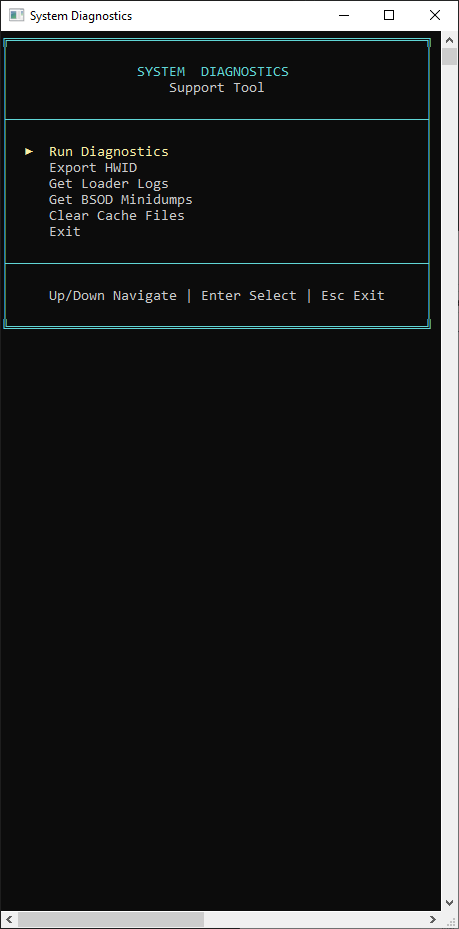
Tool Options
1. Usage Requirements Diagnostics
The first option runs a requirements diagnostic check, helping identify missing or misconfigured items in your environment.
2. Export Machine HWID
The second option exports your machine HWID.
This is useful to verify whether the spoofer worked correctly by comparing the export before and after use.
3. Copy System Logs
The third option copies system logs so they can be attached to your support ticket for Staff review.
4. Copy BSOD Minidumps
The fourth option copies blue screen (BSOD) minidumps, which help diagnose critical crashes.
5. Clear Download Caches
The fifth option clears download caches, which is useful when a file becomes corrupted during download.
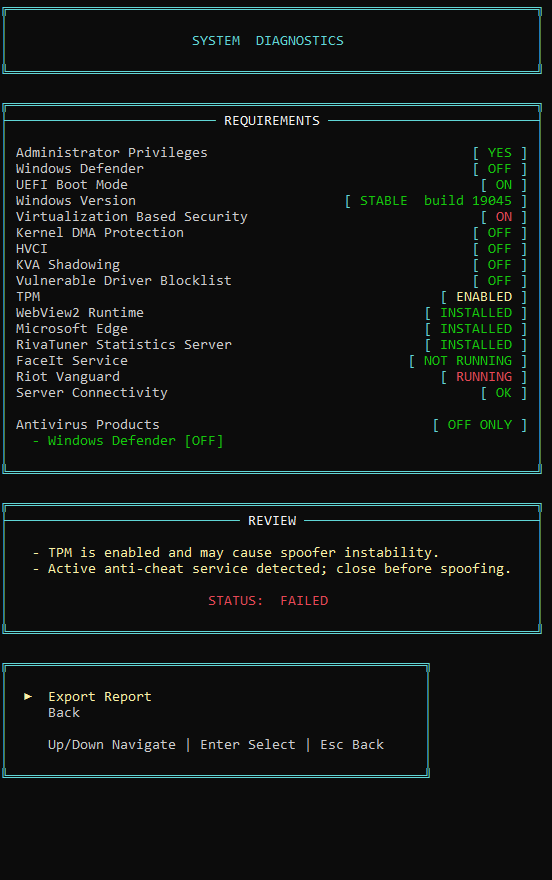
When to Use This Tool
- Before opening a ticket, so you can already provide full diagnostics and logs.
- When you need to verify HWID changes after using a spoofer.
- When you suspect a corrupted download file.